
You can switch between two dead zone presets on the Pro Controller:
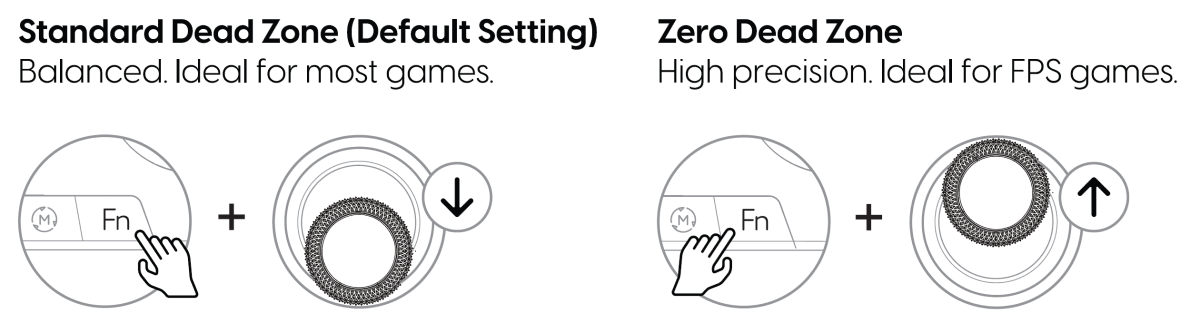
Standard Dead Zone (default) — Balanced, ideal for most games.
Hold Fn + move Right Stick Down ↓. A blue light around the right stick confirms the change.Zero Dead Zone — High precision, ideal for FPS games.
Hold Fn + move Right Stick Up ↑. A purple light around the right stick confirms the change.